
The honest answer is it depends entirely on what the tool automates. Scheduling and analytics tools, including Meta's own Meta Business Suite, are built for that job. Tools that act like you, auto-following, auto-liking, auto-commenting, or mass-DMing, are the risky ones. Instagram said on November 19, 2018 that third-party apps that generate inauthentic likes, follows and comments "violate our Community Guidelines and Terms of Use," and that accounts that keep using such apps "may see their Instagram experience impacted" (Instagram, Reducing Inauthentic Activity). Here's exactly where the line sits.
What counts as Instagram automation?
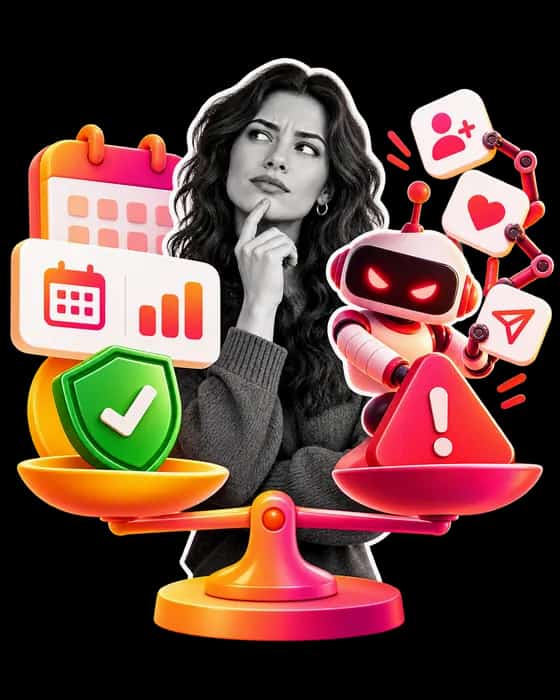
"Automation" covers a wide range. The useful mental model is to split it into two buckets: tools that help you work (safe) and tools that pretend to be you (risky).
Automation that's safe
- Post scheduling, tools that publish your posts and Reels at set times. Meta's own Business Suite lets you "schedule, publish and manage posts, stories, reels and more," and Meta documents an Instagram Platform publishing API for professional accounts.
- Analytics and reporting, dashboards that read your insights don't touch your account behavior.
- Content planning and DM management, tools that connect through Meta's documented API to organize your inbox or plan a grid are fine.
- Hashtag and caption research tools that suggest ideas but don't post for you.
The common thread: these tools either use Instagram's official API or never perform actions as your account against other users.
Automation Instagram has warned about
- Follow / unfollow bots, mass-following accounts to bait follow-backs, then unfollowing, is the kind of inauthentic follow activity that Instagram's November 19, 2018 statement says violates its Community Guidelines and Terms of Use.
- Auto-like and auto-comment bots, liking or dropping generic comments on hundreds of posts is the kind of inauthentic like and comment activity named in the same statement.
- Mass auto-DM tools, blasting unsolicited direct messages is automation that acts as your account and reaches people who never asked to hear from you.
- "Growth services" that need your password, handing over your login to a third party that logs in and acts as you is both a terms violation and a security risk.
Why Instagram cracks down
Instagram has said it built machine learning tools to find accounts that use third-party apps to boost their popularity and to remove the inauthentic likes, follows and comments those apps generate (November 19, 2018). "Shadowban" is a community term rather than an Instagram feature: Instagram itself calls it "a broad term that people use to describe many different experiences" (June 8, 2021). What Instagram documents is Account Status, where you can see content removed for breaking its Community Standards and features you can no longer use, and, for professional accounts, content that goes against its Recommendations Guidelines. The risk is rarely worth a handful of bot follows.
How to grow without risky automation
You don't need bots to grow, you need consistency and the formats Instagram rewards:
- Post Reels consistently and hook viewers in the first three seconds, see our Instagram growth playbook.
- Maximize early engagement, Instagram says its ranking looks at "how quickly people are liking, commenting, sharing and saving a post" (May 31, 2023); more on early engagement and the algorithm.
- Use scheduling tools to stay consistent without burning out.
- Write a bio that converts visitors into followers, here are Instagram bio ideas.
How to vet any tool before connecting it
- Does it ask for your password, or connect through Instagram's official login (OAuth)? Password = walk away.
- Does it perform actions as your account (follow, like, comment, DM)? If yes, it's risky.
- Does it publish through Meta's own tools or documented API, such as Meta Business Suite or the Instagram Platform publishing API? Check the tool's own documentation for how it connects to your account.
- What do recent reviews say about account restrictions?
Related reads
If you're weighing paid shortcuts, our Instagram follower services and likes providers explain the risks before you spend anything. For organic growth, start with the 2026 growth strategies.
The bottom line
Safe Instagram automation helps you work faster, scheduling, analytics, planning. Risky automation acts as you against other accounts, and that is the kind Instagram has warned about. Stick to the first bucket, and never hand your password to a growth service.
Last reviewed: October 6, 2026. This page is compiled from the Instagram and Meta statements listed below; HowSociable did not test any automation tool for it.
Sources read on October 6, 2026:
- Instagram, "Reducing Inauthentic Activity on Instagram" (November 19, 2018)
- Instagram, "Shedding More Light on How Instagram Works" (June 8, 2021)
- Instagram Ranking Explained (May 31, 2023)
- Instagram Help Center, Check your Account Status
- Meta Business Suite help, How Meta Business Suite Works
- Meta for Developers, Instagram Platform content publishing